


Parents begin their search for information on braces cost for kids immediately after the orthodontist mentions them. The first estimate seems very high, but with many factors influencing the amount a family ultimately pays, you never really know how much you’ll be out. The length of time you’re being treated, your choice of braces, insurance coverage, payment plans, and how severe your case is, all come into play. Once you have some of these details, your first consultation is much easier to deal with.
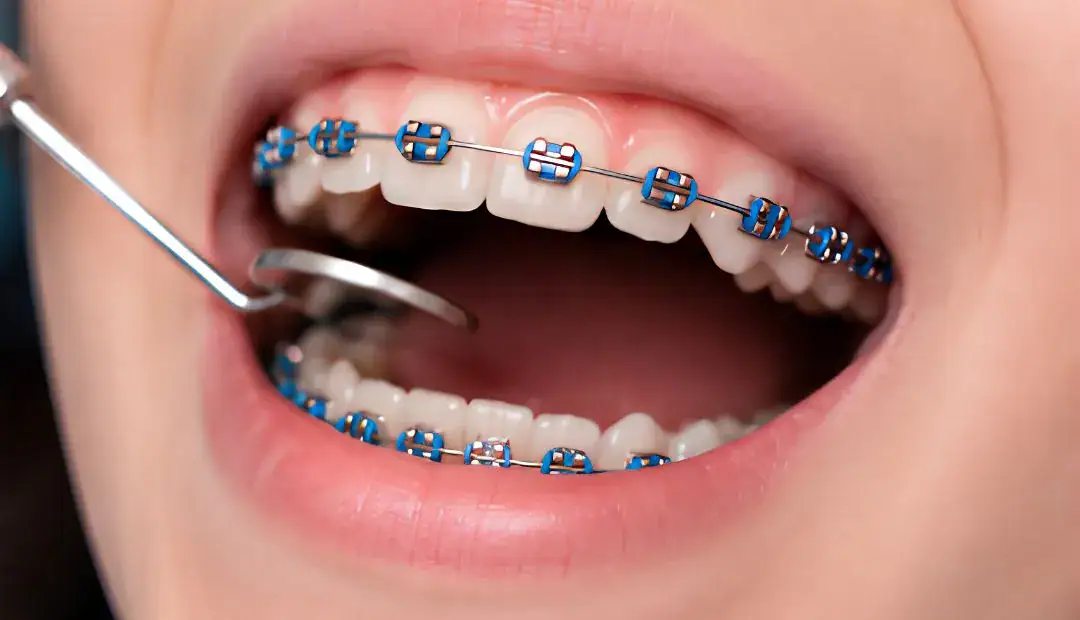
What is the biggest factor in cost?
The type of braces matters the most, but the length of time you are treated comes next. The difficulty of your case matters as well, but age of the patient really doesn’t affect the price much.
What Types of Braces Are Available for Kids?
Metal braces are the least expensive option. Ceramic braces and clear aligners cost more. Fixing a mild gap takes less time than correcting a severe overbite or even jaw expansion. Just like price, location matters too, because there are differences in cost in different spots in a state and even between local practices.
How do the options compare?
| Type | Typical Cost | Best For | Main Advantage |
|---|---|---|---|
| Metal Braces | $3,000 – $5,500 | Most cases, best value | Strongest durability |
| Ceramic Braces | $4,000 – $7,000 | Kids wanting low visibility | Blends with teeth |
| Clear Aligners | $4,000 – $7,500 | Mild cases, older kids/teens | Removable for eating |
Metal braces are the clear choice for parents for many reasons, but mainly because kids forget they have braces. Even though food and ceramics may blend together, metal brackets have superior wear resistance.
Ceramic braces use tooth-colored materials, and therefore cost more. Clear aligners can be removed for convenience, but your child must remove them for only 2 hours every day.
Understanding Early vs Full Treatment (Phase 1 vs Phase 2)
Some children require orthodontic work in two separate instances. Lack of early understanding of this leads to high out-of-pocket costs.
Phase 1: Early Intervention (Ages 7–9)
This phase involves the growth of the jaw and the correction of severe crowding while the primary teeth are still in place. This phase is estimated to cost between $1,500 and $3,500.
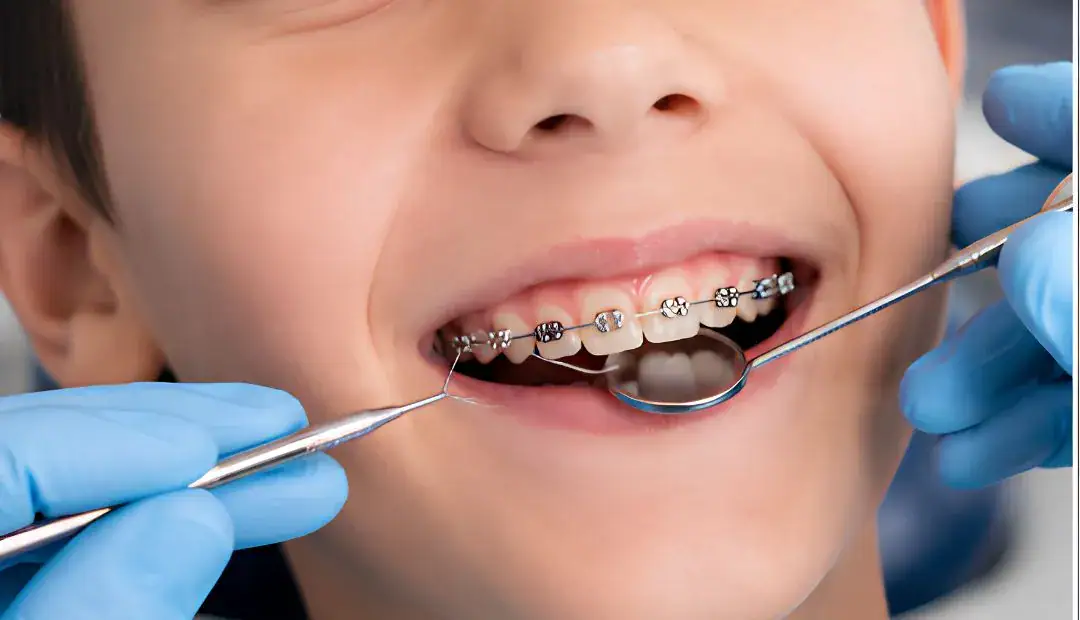
Correcting structural issues such as crossbites occurs during this phase before the complete eruption of the permanent teeth.
Phase 2: Full Braces (Ages 11–14)
This phase occurs once almost all permanent teeth have come in. This phase brings complete alignment of the teeth to their final positions.
Phase 2 is estimated to be in the range of $3,000 to $5,500.
Completion of Phase 1 by your child results in shorter time and cost for the completion of Phase 2.
Is Invisalign More Expensive Than Braces for Kids?
Typically, this is the case. Clear aligners for kids generally cost between $4,000 and $7,500. This range is comparable to ceramic braces and can cost slightly more than metal braces.
Aligners must be removed by patients almost completely in order to achieve scheduled teeth alignment.
Offices may order replacement trays as a result of lost or misplaced trays. This can affect final costs.
Consider the cost-efficiency of metal braces, since they are less likely to be lost. Consider clear aligners if your child prefers a more subtle option and is more responsible.
Does Dental Insurance Cover Braces for Kids?
Many family dental insurance plans cover some of the cost of children’s braces. Insurance usually covers about 50% of the total cost with a lifetime benefits maximum between $1,000 and $3,000 per child.
Some important insurance factors are:
- Lifetime Maximum Benefits: This benefit is applicable per child, not per year.
- Waiting Periods: Certain insurance plans require the coverage to be held for 6 to 12 months before orthodontic coverage is available.
- Age Limits: Most insurance plans cover braces only for children, usually up to age 18 or 19.
According to the ADA, orthodontic benefits are often included in children’s insurance plans more than in adult plans. If you call your insurance company before your first appointment, this should prevent any unexpected charges at a later date.
How do payment plans work?
You don’t usually have to pay the full price of braces on the first day. Most orthodontic clinics offer families options to pay the total price over monthly payments.
Average monthly payments range from $100 to $250, depending on the down payment and the total treatment time.
Many clinics offer in-house financing with no interest payments and no formal credit checks. You can make a small down payment on the bonding day, and then the total cost of treatment is spread over payments of equal value that are collected over 12 or 24 months.
Other practices work with external financing. This allows them to offer extended payment plans at lowered monthly costs. Full insurance is not required to enroll in financial information payment plans.
Additional Costs to Consider When Getting Braces for Kids
Costs vary from practice to practice. Be sure to ask what is included in the quoted amount.
Additionally, some costs vary due to external pricing factors. For example, lower-end pricing for initial X-rays and/or diagnostic imaging (often done for free) is approximately $150 – $450.
Then there are tooth extractions. If crowding is severe, this may cost you approximately $100 – $300 per tooth.
Palatal expanders for excessive widening of the jaw run approximately $500 – $1,500.
Emergency visits to repair loose brackets caused by eating hard foods cost approximately $50 – $150.
If you need a retainer, most practices include their first retainer as a part of the treatment, but subsequent retainers cost approximately $150 – $500.
How Can You Reduce the Cost of Braces for Kids?
There are a variety of ways to decrease the total out-of-pocket amount for your child’s braces.
First, if you can pay the full amount up front, most offices allow a 5% – 10% cash/check discount.
Moreover, treating multiple members of a family at the same office usually allows a multi-patient discount.
Using Health Savings Accounts (HSA) or Flexible Spending Accounts (FSA) makes your treatment tax-free, so use the money you set aside to pay your treatment.
Finally, dental schools offer treatment for a relatively low price and still use trained orthodontists to supervise the care.
What Do Braces Cost for Kids in Louisiana?
The prices for kids’ braces in Louisiana are about the same as the rest of the country. The most accurate price for your child’s treatment is determined by a local consultation.
The price varies from practice to practice based on regional prices and clinical equipment, so travel locally to multiple offices for pricing.
Initial consultations are free at our Baton Rouge, Lafayette, and New Orleans East locations.
During the consultation, our orthodontic team performs an evaluation of your child’s current situation. We inform you of the projected duration of treatment and how treatment costs break down, as well as payment plan options.
Questions to Ask During Your First Consultation
Bring this checklist to ensure all pricing is clear to you:
- Is this quote an all-inclusive price, or are retainers and emergency repairs additional costs?
- Do you provide interest-free payment plans?
- What discounts do you offer for paying upfront or enrolling siblings?
- What happens financially if the projected treatment duration increases?
- Will my insurance cover any costs associated with this treatment plan?
The following are commonly asked questions:
1. Do adult braces cost less than child braces?
Not necessarily. A multitude of factors outside of age, such as complexity of the case, jaw adjustments, and length of the case, drive price differences.
2. At what age should my child see an orthodontist?
The American Association of Orthodontists recommends an evaluation of children at age 7. The first phase of treatment, typically, begins at ages 10 – 14 after the child’s permanent teeth grow in.
3. Can braces be negotiated?
Yes, price negotiations can occur. This can include asking for family/pay in full discounts and matching competitor offers.
4. Does tooth removal before braces increase the cost?
The cost increases because tooth extraction is an additional service performed by an oral surgeon or dentist that orthodontic treatment does not control.
Bottom Line
Braces for kids typically cost $3,000–$7,500, but the right treatment plan depends on your child’s needs, not just the price. Bayou Braces can help you understand your options, insurance coverage, and payment plans before treatment begins.